

Android 17 QPR1 Update Released
Google has officially released the Android 17 QPR1 update for Pixel devices after a long beta period. This version, which comes with the September 2026 Feature Drop and current security patches, brings valuable interface changes that optimize the user experience. Covering a wide range of devices from the Google Pixel 6 series to the latest […]
Google has officially released the Android 17 QPR1 update for Pixel devices after a long beta period. This version, which comes with the September 2026 Feature Drop and current security patches, brings valuable interface changes that optimize the user experience. Covering a wide range of devices from the Google Pixel 6 series to the latest Pixel 11 models, this update offers smoother transitions and visual improvements throughout the system. Users can instantly access this new version by checking for system updates via the Settings menu.
- Android 17 QPR1 update arrives on Pixel devices with September 2026 security patches and new features.
- Visual changes to the interface include dynamic color-themed transparency effects and a revamped power menu.
- The update supports a wide range of devices from the Pixel 6 series to the Pixel 11 series.
Visual Changes to the Interface
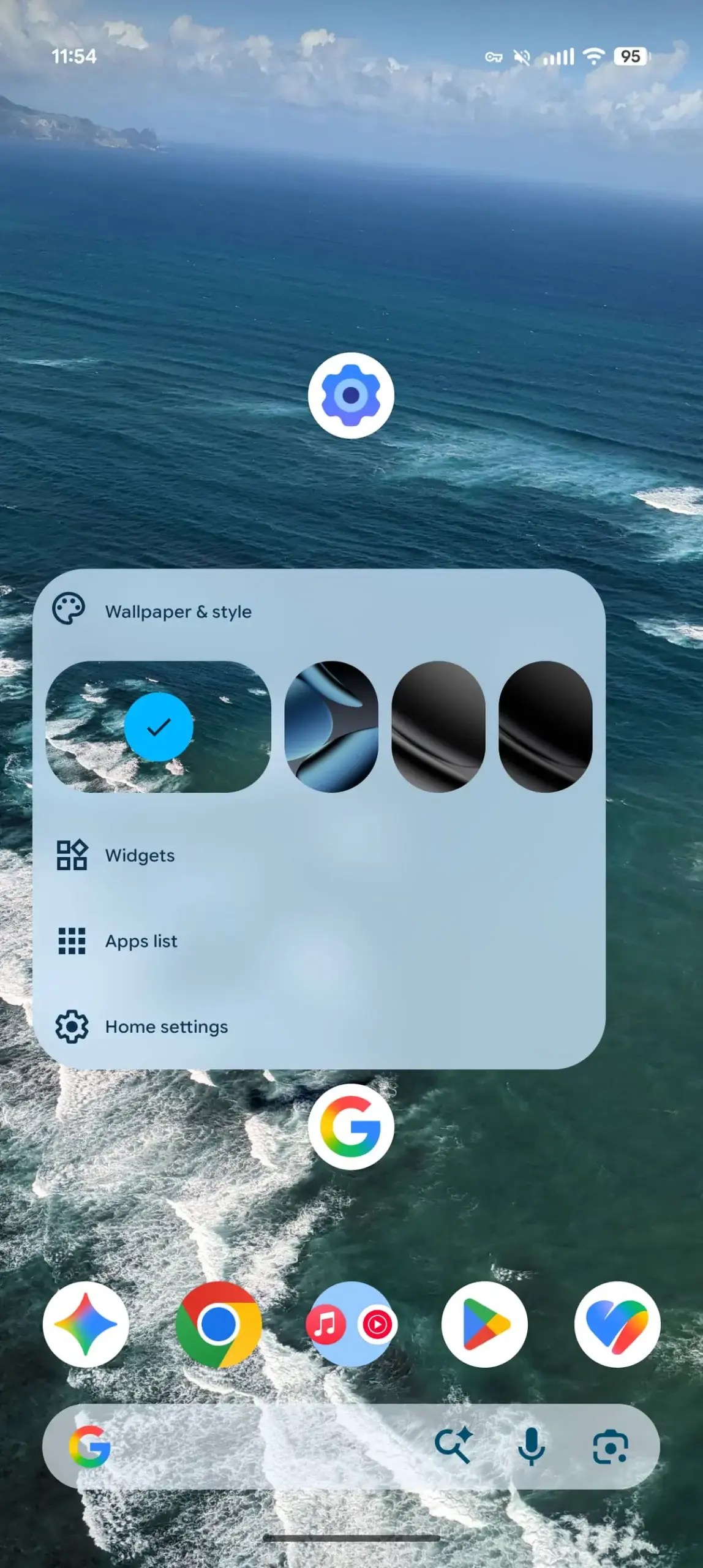
With the new update, many more blur effects are preferred in the system interface. The sound panel now stands out with dynamic color-themed transparency, while the power menu also gets a modern design. These visual changes, especially those made compatible with the widget selector, take the user’s interaction with the interface to a more aesthetic level.
Media Player and Quick Settings Updated
The system media player now features a new carousel interface using the Material 3 design language. When multiple media applications are open, users can see previews of other applications and gain a more functional space with a smaller card size.


The Quick Settings menu is updated with a new spring animation and a practical icon added to the bottom right corner of the screen for editing.
New Functionality Enhancing Tools Added
The “Don’t ask again” option added to the Mobile Data tile allows users to manage their settings more easily. Additionally, details such as a quick access tile to the keyboard switcher and the screen recorder tool selecting the most recently used app as the default make daily use easier. Long-pressing app icons on the home screen splits the menu into two sections: app shortcuts and system actions.
System Performance and Health Tracking Improved
The new M3 Expressive Settings icon seen on Pixel Watch devices is now coming to phones. Additionally, a new animation greets users when launching the camera from the lock screen. On the health side, the Health Connect app now supports distance and calorie tracking in addition to step count. These improvements showcase Google’s ecosystem-wide integration efforts.


