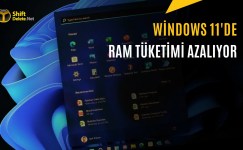
Start Menu and Taskbar are Renewed in Windows 11
Microsoft announced new customization options for the Windows 11 mission bar and Start menu. Here are all the innovations.
Microsoft is preparing to make important changes to the taskbar and Start menu in order to make the Windows 11 experience more personal. These updates offered to the Experimental channel of the Windows Insider program, aiming to increase users’ control over the operating system.
Taking into account the heavy feedback from users, the company offers new options, especially regarding the positioning of the taskbar and the arrangement of the Start menu. These innovations continue to be developed for the performance and reliability purposes of Windows 11.
Flexible period of use on the taskbar
Windows 11 users will now be able to place the taskbar on the top, bottom, left or right edges of the screen. This feature provides great convenience, especially for developers who want to gain vertical screen space or users who want to make arrangements according to their ergonomic preferences.
When the taskbar position is changed, items such as the Start menu and search box automatically adapt to the new position. In addition, switching between open windows becomes more practical by not combining icons and displaying labels when using the vertical task bar.

Users can access these new layout options by following the Personalization and Taskbar steps through Settings. Features such as touch gestures and automatic hiding, which are currently in the development phase, are planned to be supported in the future.

A new compact taskbar option is added for devices with limited screen space. When this mode is enabled, the mission bar height decreases and the icons become smaller, providing more work space.

More customization options in the Start menu
Microsoft, which wants to increase control over the Start menu, allows users to hide and show the Pinned, Recommended and All sections independently. In this way, users can create a minimalist Start menu where only pinned applications appear.

Thanks to a new control for file suggestions, closing offers in the Start menu does not affect recently used documents in Document Explorer. In addition, the size of the Start menu can now be selected as Small or Large, and the user profile and name can be hidden.

The Recommended section is renamed Recent for clarity and the content quality is improved. Newly installed applications and frequently used documents continue to be included in this section to facilitate users’ discovery processes.

All these updates can currently be tested by Windows Insider users in the Experimental channel. Which customization option do you think is most needed in Windows 11?